Replication
MeshStor replicates data using Linux MD RAID across multiple nodes. Each volume partition lives on a different node's NVMe drive, and MD assembles them into a single redundant block device. This is the same replication technology used by Linux servers for decades — no custom replication protocol.
How It Works
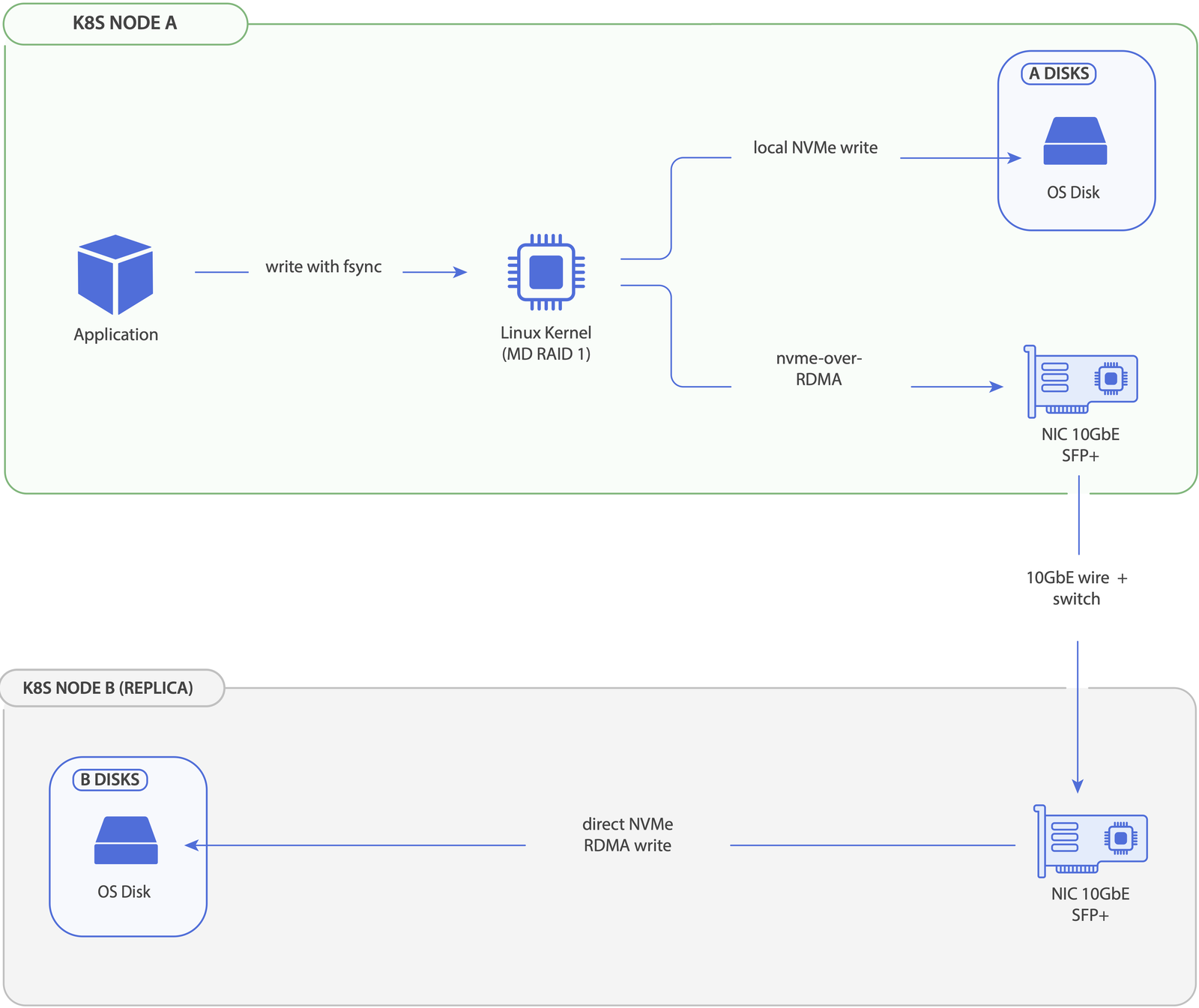
- The controller creates a
MeshStorVolumeCR when a PVC is provisioned. - Kubernetes schedules the pod onto a node — the consumer — and the CSI node plugin there picks replica nodes via the scoring algorithm, recording the requests in the CR.
- Each selected node creates a GPT partition on a local NVMe drive.
- Remote nodes export their partitions via NVMe-oF.
- The consumer imports the remote partitions and assembles an MD RAID array.
- The array is formatted with XFS and mounted to the pod.
Configuration
Three StorageClass parameters shape replication:
replicaCount— how many copies the volume keeps, each on a different node.stripeWidth— how many local drives a single replica spans.1means RAID1;>1means RAID10 (a stripe of mirrors).memberMissingTimeout— how long an unreachable member is given to recover before MeshStor replaces it.
The combination of replicaCount and stripeWidth selects the effective RAID level. See StorageClass Parameters for the full grid (types, defaults, minimums, storage overhead) and StorageClass Examples for ready-to-use configurations.
Single-replica mode is still relocatable
Even with replicaCount=1, the volume can move to a different node when the pod reschedules. The single-replica array always carries a free placeholder slot (a missing member); on relocation, MeshStor creates a new partition on the target node, fills the placeholder, syncs, then removes the original — no data loss.
| Setting | Layout |
|---|---|
stripeWidth=1 |
2-slot RAID1: 1 active + 1 placeholder with local drive throughput |
stripeWidth>1 |
RAID10 with placeholder mirror slots and local RAID0-like throughput |
Degraded Operation
When a member partition becomes unreachable (node failure, network issue, drive error), the MD array enters degraded mode:
- I/O continues — reads and writes proceed using the remaining active members
- Volume status reflects the degradation:
Automatic Recovery
If the missing member comes back online (e.g., node reboots), the reconciliation loop detects it and triggers a rebuild. The syncPercentage field tracks rebuild progress:
NAME               PHASE     MDSTATE      READY   DEGRADED   SYNC    NODE       AGE
pvc-cd1038a7-...   Syncing   recovering   1/2     1          45.2%   mf-01-02   2h
pvc-cd1038a7-...   Syncing   recovering   1/2     1          78.9%   mf-01-02   2h
pvc-cd1038a7-...   Synced    active       2/2     0                  mf-01-02   2h
Member Replacement
If a member stays missing for longer than memberMissingTimeout (default: 15 minutes), MeshStor automatically replaces it:
- The missing partition is marked
Faulty - A replacement node is selected using the same scoring algorithm
- A new partition is created on the replacement node
- The new partition is added to the MD array and rebuilds
Volume Relocation
When a node hosting the MD device (consumer) is drained with kubectl drain --ignore-daemonsets, MeshStor automatically migrates the volume to the new node. The old partition is imported via NVMe-oF, a new local partition is created, and MD syncs the data. Once synced, the old partition is removed. Draining a provider-only node has no immediate effect — the DaemonSet continues exporting partitions normally.
See Volume Relocation for detailed scenarios, observability commands, and troubleshooting.
What's Next
- Self-Healing — automatic recovery and replacement on failures
- Volume Relocation — how volumes migrate during node drain
- StorageClass Examples — ready-to-use configurations
- StorageClass Parameters — complete parameter reference